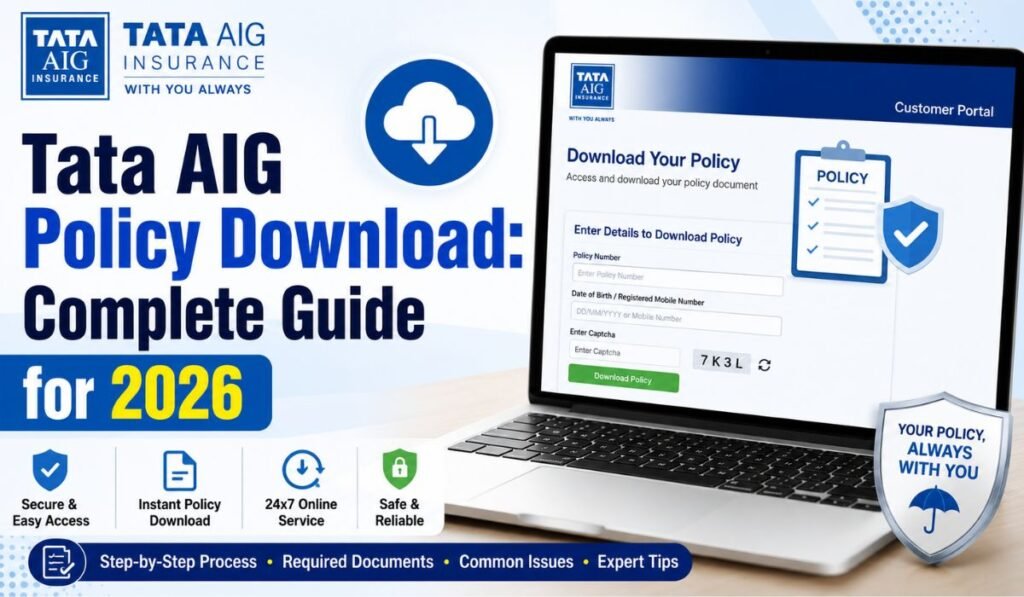
Uncovering a Tata AIG policy is an easy task and now you know the steps, but if you own a Tata AIG General Insurance car, bike, health or travel insurance plan, it can save your lot of time especially during claims or renewal or if you have to file documents at the RTO. With most of the insurance companies in India, including Tata AIG, the whole process is almost entirely digital as of 2026 so you do not really have to go into a branch office anymore.
In this guide, we will take you through all the ways available to download a Tata AIG policy along with the documents needed for it, common problems regarding a Tata AIG policy download faced by people, and some FAQs.
What Is Tata AIG Policy Download?
A Tata AIG policy download is nothing but pulling your insurance policy document (usually a PDF) from the official channels of Tata AIG. This document includes your coverage details, sum insured, premium breakup, exclusions, terms and conditions and policy schedule. So, regardless of whether you purchased your plan directly from Tata AIG, via an aggregator such as Policybazaar or through a partnership such as Bajaj Finance, you can typically download your Tata AIG policy online by simply entering your policy number and registered mobile number.
Why You Need to Download Your Policy
TOP reasons why downloading a Tata AIG policy is important
- Claim processing: While processing a cashless or reimbursement claim, insurers and hospitals often ask for a copy of the policy document.
- RTO services: Some of the RTO services require motor insurance policies mandatorily, for instance applying for a registration certificate, and thus having a digital copy handy helps save time.
- Instant access during emergencies: With the policy being downloaded on one device, the insured is able to spare his/her time for quick reference during times of need without carrying a physical copy and since everything can be done on phone for claims, you do not have to look around to find a hard copy sometimes.
- Renewal and portability: You have to submit the existing policy document at the time of renewal or while porting your coverage to a different health insurer.
- Record keeping: You have a digital backup that will protect you if the original copy gets lost or damaged.
Read Also:- United India Insurance | Max Life Insurance | Policy Bazaar
Documents You Need Before You Start
Note the following details ready before you try to download Tata AIG policy
- Policy number as given to in your welcome kit, SMS, Email
- Registered mobile number
- Registered email ID
- Date of birth (applies to health insurance plans)
- PAN or Aadhaar (sometimes asked for verification)
Step-by-Step: Tata AIG Policy Download from the Official Website
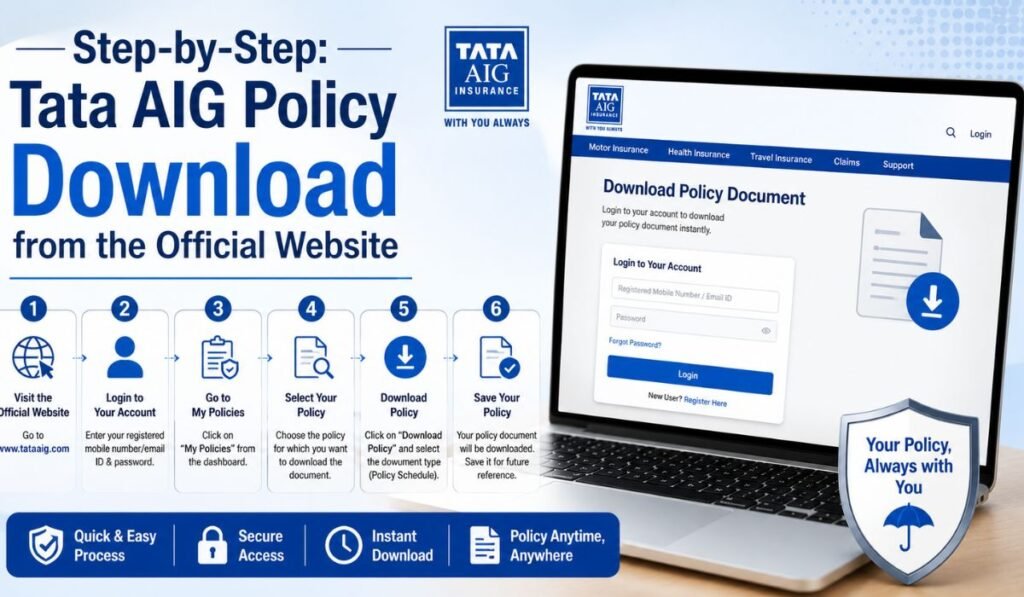
You can download Tata AIG policy most reliablydirectly through the insurer’s self-service portal. Here’s how:
- Go to the official page of Tata AIG and find the ‘Self Service’ section on the home page.
- Click on self service option, which then takes you to a page containing one ‘Download policy’ button
- Use your registered mobile number to log in, or enter your email ID and mobile number if you are logging in for the first time.
- To login, enter the OTP sent to your registered mobile number.
- From the list of policies that are active, select the one you want to download.
- Once downloaded, the policy PDF will be saved on your device as well.
- Once your OTP is authenticated, this Tata AIG policy download process via portal typically clocked less than five minutes.
Step-by-Step: Tata AIG Policy Download via the Mobile App
If you prefer to use your smartphone, Tata AIG policy download can also be done using the official mobile app:
- Go to the Play Store or App Store and download the Tata AIG app.
- View/Download Policy Document: Login with your Registered Mobile Number and OTP
- Go to My Policies Tab
- Choose the applicable policy and press download icon
- It saves the PDF in your phone data-> downloads.
This means you can download your Tata AIG policy when you are away from a computer, in emergency situations or on the move.
Read Also:- PNB HRMS | New India Assurance | MEDISEP
Tata AIG Policy Download Through Aggregator Platforms
Customers who have purchased their systems through insurance marketplaces also can make a Tata AIG policy download from these platforms :
- Policybazaar: Go to the insurer’s website and LOG IN to customer portal, fill in policy details (date of birth, policy number etc), click submit and you will be able to view/download your documents. Once finished, you can download and print your policy papers. The insurer additionally sends the reports to your enlisted email ID.
- PolicyX: Provides an identical self-service download link for Tata AIG health insurance clients.
- Bajaj Finance: If you bought your policy via Bajaj Finance, there is a specific download flow on their platform besides the standard site.
Tata AIG Policy Download for Motor Insurance (Car & Bike)
Special for motor insurance, the Tata AIG policy download procedure adds one more avenue:
If you are registered on the mParivahan website, then by clicking on the Vahan report under vahan e-services link, you can download the policy document. The following types of motor policy documents can be retrieved through this way: proposal form, policy schedule, first premium receipt (if applicable), declarations /endorsements/supplements and the medical examiner report (in case of a group coverage).
What If Your Tata AIG Policy Download Isn’t Working?
At times its possible that a Tata AIG policy download does not go through on the first attempt. Common fixes include:
- Policy is not visible on dashboard – If the policy does not appear or re-send the policy document at your registered email address from Tata AIG customer support.
- OTP not Received Make Sure Your Mobile Number is Updated with Tata AIG and Call After 3-5 minutes.
- Tata AIG Downloads page – Just need reference documents, not your own policy On the Tata AIG Downloads page, you will find publicly available documents like Policy wordings, brochures, prospectuses, customer information sheets premium sheets and claim forms. However this has no relevance with respect to your individual policy schedule or endorsements however these are definite references.
- General insurance support – If you face any issues, you can email Tata AIG General Insurance and raise a ticket on the self-service portal or call via helpline or connect through WhatsApp for quick assistance.
Comparison Table: Tata AIG Policy Download Methods
| Method | Login Requirement | Best For | Approx. Time |
| Official Website (Self Service) | Mobile number + OTP | All policy types (car, bike, health, travel) | 3–5 minutes |
| Tata AIG Mobile App | Mobile number + OTP | On-the-go access, storing multiple policies | 2–4 minutes |
| Email Request | Registered email verification | When portal access fails | Up to 24 hours |
| mParivahan / Vahan e-Services | Vehicle registration details | Motor policy documents only | 3–5 minutes |
| Aggregator Portal (Policybazaar, PolicyX, Bajaj Finance) | Policy number + DOB/mobile | Policies bought via these platforms | 3–5 minutes |
| Customer Care (WhatsApp/Helpline) | Policy number verification | Resending lost documents | Varies |
Tata AIG Policy Download Benefits at a Glance
| Benefit | Description |
| Convenience | Access your policy anytime without carrying a physical copy |
| Claim Support | Speeds up cashless and reimbursement claim submissions |
| RTO Compliance | Required for vehicle-related RTO formalities |
| Instant Availability | Useful during emergencies or accidents |
| Easy Sharing | PDF can be emailed or shared digitally with hospitals, garages, or agents |
Tips to Make Your Tata AIG Policy Download Smooth
- Make sure that your mobile no. and email ID are always updated with Tata AIG to prevent OTP failures.
- Store a copy of the downloaded PDF in Google Drive, etc as backup.
- If you are some one maintaining multiple number of policies ( health, car, bike ), give a proper identifiers in every downloaded files w.r.t policy no and policy type.
- Keep in mind that endorsements or changes are not shown in your policy until you request an update with the insurer, so always be sure to download the most current version before relying on it.
Conclusion
In 2026, whether you use the official Tata AIG website or mobile app or an aggregator portal to download a policy (even Audi policies could be downloaded via the Parivahan Vahan e-services link in 2026), it all takes minutes and is largely digital. Update your registered mobile number and email. This is the key step for a successful Tata AIG Policy Download if you are prompted with OTP or verification issues. In case self-service does not work, you can employ Tata AIG customer support team via email, WhatsApp or helpline to resend your documents direct to you.
Frequently Asked Questions
1. How can I do a Tata AIG policy download without logging into the website?
You can ask for your policy document over email or WhatsApp, simply by calling Tata AIG customer care with your policy number, they will send the PDF again on your registered e-mail address.
2. Is OTP mandatory for Tata AIG policy download?
Yes, the self-service portal and mobile app require OTP verification, which will be sent to your registered mobile number before you can view or download your policy (for most cases).
3. Can I complete a Tata AIG policy download if I bought my policy through Policybazaar or Bajaj Finance?
Aside from the Tata AIG website, the two platforms also have their own portals where you can log in with your policy details and finish downloading.
4. What documents are included when I do a Tata AIG policy download for my car insurance?
In general, the motor policy download has a proposal form, policy schedule receipt of first premium and endorsement or supplement to the policy.
5. My Tata AIG policy download isn’t showing my policy – what should I do?
Reach out to Tata AIG customer care through email, WhatsApp or their helpline and ask that the document is re-sent to your registered email ID.
6. Can I use Parivahan for a Tata AIG policy download of my motor insurance?
Also, if you are registered on Parivahan, then you can also check your Vahan e-services report and download the motor insurance policy document from there.