
Every Indian household needs health insurance today and among the most popular names in it is Niva Bupa Health Insurance Company Limited (Formerly Max Bupa). Regardless of the reason for using it, once you buy a health insurance plan, you need to keep the digitized copy of your policy document handy-Mostly hospital admission and claim settlement come along with taxation purpose or just plain record to maintain. This is why Niva Bupa policy download becomes an important step that every single policyholder needs to take.
This article will help walk you through everything that you need to know about Niva Bupa policy download 2026 including the different ways that are possible, a step by step guide on how to do it along with common scenarios and answers for many queries.
Why Is Niva Bupa Policy Download Important?
But first, let us understand Niva Bupa policy download for a policyholder in India
- Proof of Insurance: Your policy document serves as legal evidence that you have a live health insurance policy with Niva Bupa.
- Cashless Hospitalization: To enable cashless treatment, hospitals usually require the soft copy of the policy document so make sure to download Niva Bupa policy well in advance before a planned visit to any hospital.
- Claim Settlement: When raising a claim, you have to provide your policy documents along with some other paperwork; hence, quick access for Niva Bupa policy download saves us the precious time.
- Tax Benefits: Health insurance premiums qualify as tax deduction under Section 80D of the Income Tax Act, and the policy document gives you proof of this when it’s time to file your taxes!
- Policy Renewal & Portability: If you want to renew your policy or port it to another insurer, you’ll need the details of your existing policy, and hence, niva bupa policy download is a routine affair.
- Record Keeping: A downloaded copy guarantees access to your policy details, although in some cases, you may lose track of the hard copy.
Read Also:- United India Insurance | Max Life Insurance | Policy Bazaar
Methods for Niva Bupa Policy Download in 2026
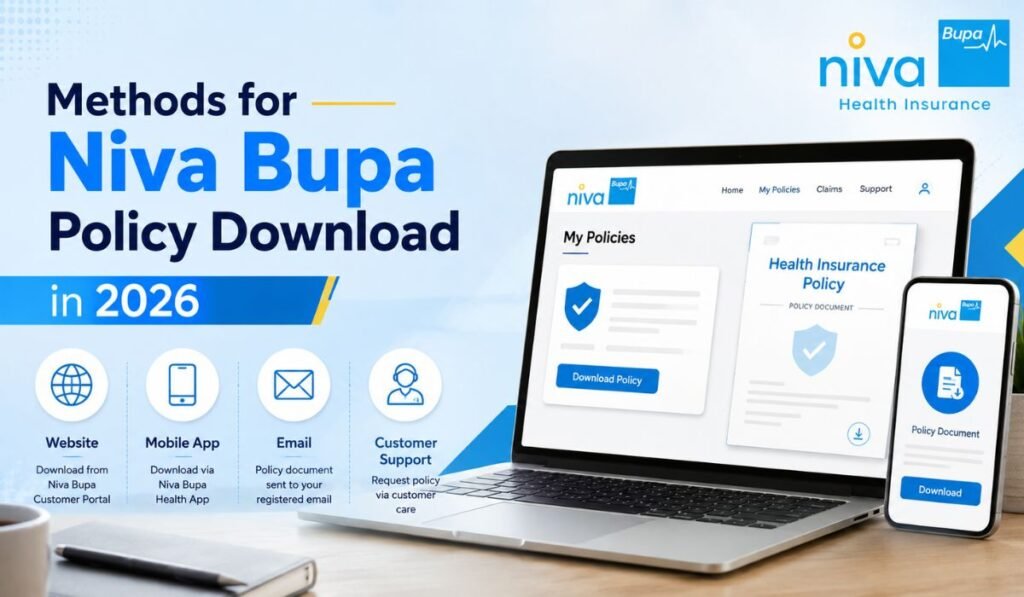
To boost convenience, Niva Bupa has designed a hassle-free policy document download process with various channels to choose from. The table below summarizes all the methods available for Niva Bupa policy download.
| Method | Platform Required | Time Taken | Best Suited For |
| Official Website | Web browser (desktop/mobile) | 2-3 minutes | Policyholders comfortable with online portals |
| Niva Bupa Health App | Smartphone (Android/iOS) | 1-2 minutes | Mobile-first users who want instant access |
| Customer Login Portal (My Account) | Web browser | 2-3 minutes | Existing customers with registered login credentials |
| Email Request | Email client | 24-48 hours | Users who prefer written communication with support |
| Customer Care Call | Phone | Instant guidance, document sent later | Customers who need step-by-step voice assistance |
| WhatsApp Support | WhatsApp application | 5-10 minutes | Users who prefer chat-based instant service |
| Physical Branch Visit | In-person | Same day | Customers who face technical issues online |
So, continue reading as we take an in-depth look at each of these ways so that you can easily download your Niva Bupa policy.
1. Niva Bupa Policy Download via Official Website
The simplest and the most commonly used method to do a Niva Bupa policy download would be through their official site. Here are the steps:
- Open any browser and go to the Niva Bupa official website.
- Click on login or my account option, which you will find mostly in the top right corner.
- Fill in your registered mobile number or email ID along with the OTP sent on this.
- Also, after you logged into the account head to My Policies.
- This is where you will need to choose which policy you want to download.
- Make sure to click on the Download Policy or Download Document button.
- The policy PDF will download directly to your device.
With this approach, you are getting an instantaneous download of the Niva Bupa policy without even having to speak to customer support.
2. Niva Bupa Policy Download Through the Mobile App
The Niva Bupa Health app is one of the quickest ways for smartphone users to carry out a Niva Bupa policy download. Steps include:
- Step 1 – Install: Install the Niva Bupa Health app from Google Play Store or Apple App Store.
- Use your policy number and registered mobile number to sign up or log in.
- Navigate to the home screen and go back to Policies
- Note, click on the appropriate policy card.
- Tap on download or view policy document.
- Save the file to your phone storage or share it straight from there via email or WhatsApp.
It is more beneficial for those people who are in hospital or any pharmacy and need to download Niva Bupa policy on urgent basis.
3. Niva Bupa Policy Download Using Customer Login Portal
If you have login details to the Niva Bupa customer portal just few clicks are all it takes to complete your Niva Bupa policy download:
- Go to the customer login page in the website.
- Enter your username and password.
- Navigate to the dashboard.
- Click on the notation “Documents” or “Policy Kit.”
- Select the policy year and download
This technique is good for long-standing consumers of Niva Bupa insurance as one has more than 1 coverage to determine every Niva Bupa policy download.
4. Niva Bupa Policy Download via Email Request
Some customers demand a formal, written letter to request for Niva Bupa policy download. By writing to the official Niva Bupa customer care email with your policy no., name registered on the policy, date of birth, and request to send policy document. They will get back to you generally in 24-48 hours with the policy document as a pdf attached.
5. Niva Bupa Policy Download Through Customer Care
Niva Bupa customer care helplinenumber No matter what technical issue you face, calling the Niva Bupa customer care helpline is always a feasible option. A representative will then confirm your identity by studying your policy number and other registered details before explaining the guiding steps to download Niva Bupa Policy or sending it directly in email format.
6. Niva Bupa Policy Download via WhatsApp
WhatsApp-based services for the policyholders are also provided by Niva Bupa. Customers can request their Niva Bupa policy download info via the official Niva Bupa WhatsApp number and based on what the menu options are, receive the document within minutes directly in chat.
7. Niva Bupa Policy Download at a Branch Office
However, for customers who do not like the digital method, they can always visit their nearest Niva Bupa branch office. This is easy, keep your identity proof and policy number in hand; the branch staff will help you with Niva Bupa policy download request by printing a copy or emailing it to your registered email id.
Documents Required for Niva Bupa Policy Download
To download your Niva Bupa policy seamlessly, here are a few points you should keep in hand:
- Policy number
- Registered mobile number
- Registered email ID
- D.O.B (to confirm identiy)
- PAN or Aadhaar number (in most cases, for further verification)
Read Also:- PNB HRMS | New India Assurance | MEDISEP
Common Issues Faced During Niva Bupa Policy Download
Though not very common, some policyholders encounter a few minor snags during the Niva Bupa policy download process. Common issues and their solutions are presented in the next lines.
| Issue Faced | Possible Cause | Recommended Solution |
| OTP not received | Network delay or wrong number registered | Wait a few minutes or update mobile number with support |
| Policy not visible in account | Policy purchased through an agent and not linked | Contact customer care to link the policy |
| Download link not working | Server issue or browser cache problem | Clear cache or try a different browser |
| App crashing during download | Outdated app version | Update the app from the app store |
| PDF password protected | Security feature for policy documents | Use policy number or date of birth as password (as instructed) |
Tips for a Hassle-Free Niva Bupa Policy Download
- To avoid OTP or verification issues while downloading Niva Bupa policy, always keep your registered mobile number and email updated with Niva Bupa.
- Save the uploaded policy document somewhere in cloud storage (like google drive) so that you not lose it.
- Have a copy in the event that something happens to you, also with a family member.
- Verify the policy document soon after download to ascertain all details like sum insured, add-ons and nominee details are correct.
- Download your Niva Bupa policy soon after buying/renewing the plan instead of when you need it the most.
Conclusion
It is essential for all policyholders to have know-how regarding completing Niva Bupa Policy Download that can be done without much of a stretch. Fast forward to 2026, Niva Bupa’s customer service is readily accessible through a multitude of channels – be itWebsite or a mobile app or via customer portal or email or WhatsApp or you might just have decided to call the quot;customer supportquot; as you would like to refer it as OR even visit your nearby branch.
They can help during emergencies, hospital admission, claim filing and tax season so keeping a downloaded copy of your policy available is indeed time saving. Keep your registered contact information updated so that every time you want to download your Niva Bupa policy, the experience is effortless.
You can also explore the latest insurance updates and policy-related information at Corporate Insurance Policy.
FAQs
1. How can I complete a Niva Bupa policy download without logging into the website?
You can avail a Niva Bupa policy download via the mobile application, request to download it through an email sent to customer support, WhatsApp Support, call customer care or you may also visit the nearest branch office.
2. Is Niva Bupa policy download available for free?
The Niva Bupa policy download is free of cost for all existing policyholders via the website, mobile application or other customer support channels.
3. What should I do if my Niva Bupa policy download PDF is password protected?
The majority of policy documents are closed due to security reasons. Normally the password is either your policy number or short date format of your birthday, which is highlighted in the mail/download manual.
4. Can I do a Niva Bupa policy download for an old or expired policy?
However, you can still view as well as download these documents for an expired or lapsed policy by signing into your account and checking the policy history section i.e. going back to the period before expiry or you can request the document through customer care.
5. How long does it take to receive the policy document if I request Niva Bupa policy download via email?
Typically, the Niva Bupa policy download request via email takes about 24-48 hours to process based on the number of requests and verification time required.
6. What details are required to complete Niva Bupa policy download through customer care?
For Niva Bupa policy download you will need to share your policy number, registered name, date of birth and registered mobile number or email ID with the customer care executive who would validate your details before processing your request.